Install the App
Goal: Ready to go in 5 minutes.
What You Need
- An iPhone running iOS 26 “Tahoe” or later
- An internet connection
Step by Step
1. Install in+out-O-mator
→ Open directly in the App Store
Or manually:
- Open the App Store on your iPhone
- Search for “in+out-O-mator”
- Tap Get → Install
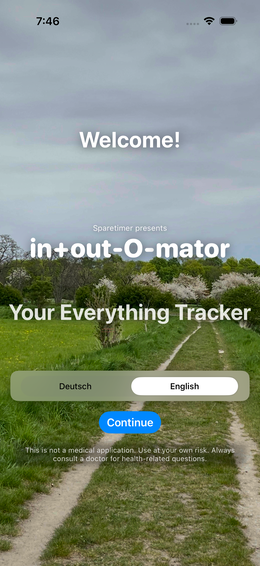
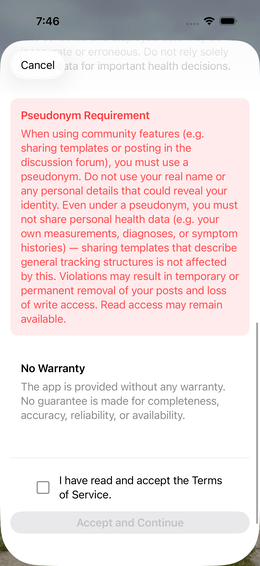
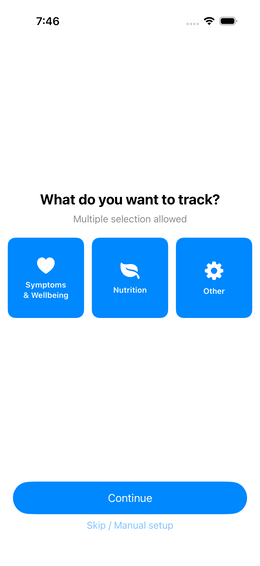
2. Launch the App & Choose Language
Tap the app icon. You’ll see the Welcome Screen fig.↗ — select your language and tap Continue.
3. Terms of Service
Scroll to the bottom of the Terms of Service fig.↗, check the checkbox, and tap Accept.
4. Choose Your Focus
Select what you want to track fig.↗ — e.g. Symptoms, Nutrition, and/or Other. Multiple selections are possible.
(Screenshot: 04-symptome)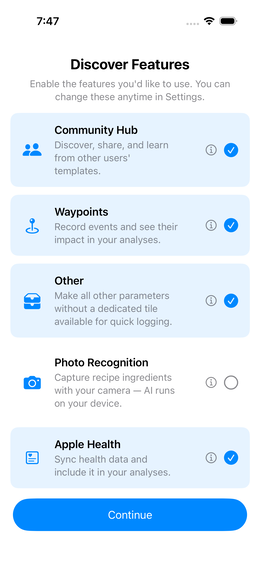
Fig. 4 — Enable features 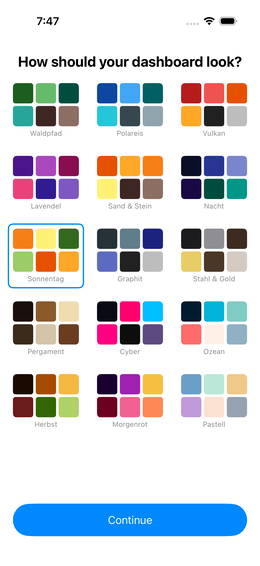
Fig. 5 — Choose colour palette
5. Select Symptoms
Expand the categories and choose your symptoms fig.↗. Tap Create when done.
6. Activate Features
Choose which optional features to enable fig.↗ — e.g. Waypoints or the Community Library.
7. Colour Palette
Pick a colour palette fig.↗ — you can change it any time later.
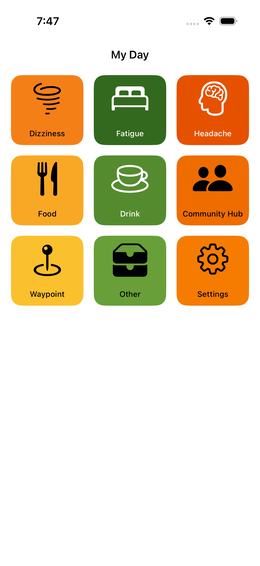
8. Done — Your Dashboard
After onboarding you land directly on your Dashboard fig.↗.
Checklist
Skip Onboarding
You can skip the setup wizard and start directly with an empty dashboard.
Simple Mode & Advanced Mode
The app launches in Simple Mode by default — ideal for getting started. Switch to Advanced Mode at any time to unlock all features.
What Happens Next?
Your Dashboard is ready. Now you can record your first event.